

How To Add Payment Method In Google Play Using Smart
REGISTRATION THROUGH GOOGLE PLAY STORE
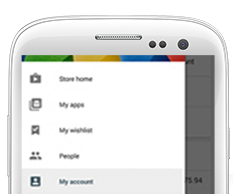
ACCOUNT
Go to the Play Store and click "My Account".

PAYMENT METHOD
Click "Enable Smart Communications billing" under Payment methods.
Google will verify your account while Smart validates your mobile number.
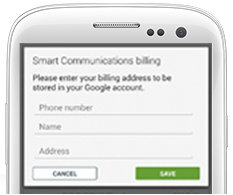
COMPLETE
Enter any Philippine billing address details, "Save" and "Accept" once completed. Smart will appear as your default payment method on Google Play.
How to buy in-app items
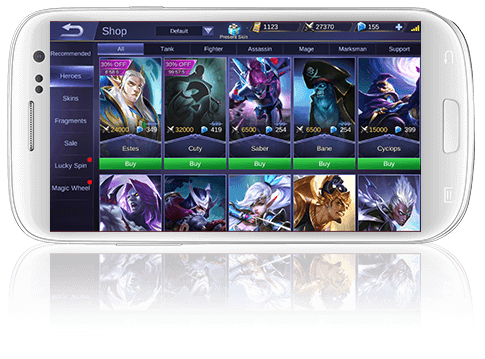
how to buy premium apps

Choose App
Open Google Play. Click on the App you wish to purchase.

Purchase
Click "Buy" to purchase the App using Smart Direct Carrier Billing. Enter your Google password.
(Payment will be charged to your Smart Prepaid Load or Postpaid Line.)

Confirmation
You will be prompted if your App purchase is successful.
For Apple App Store, use of this service is exclusive to Smart Postpaid subscribers.
For iTunes, use of this service is exclusive to Smart Postpaid subscribers.
1.
register
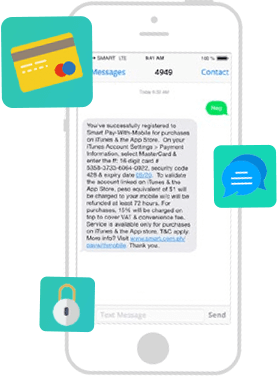
Sign up your Postpaid mobile number*.
- Text REG to 4949
- You will receive a "Virtual Credit Card Number"* via SMS to use on iTunes and the App Store"
- Take note of your Card Number, Security Code and Expiration Date details
*This number is only valid for use on iTunes and the App Store.
*SMS registration is applicable only to Smart Postpaid subscribers.
2.
enroll
Enter your "Virtual Credit Card" details.

Go to the Apple ID Account Page (Settings> iTunes & the App Store). Tap your Apple ID and click on "View Apple ID".

Click "Payment Information" and select "MasterCard".

Enter Card Number, Security Code & Expiration Date. Enter any Philippine address and press "Done."
3.
purchase
Buy items from iTunes and the App Store.
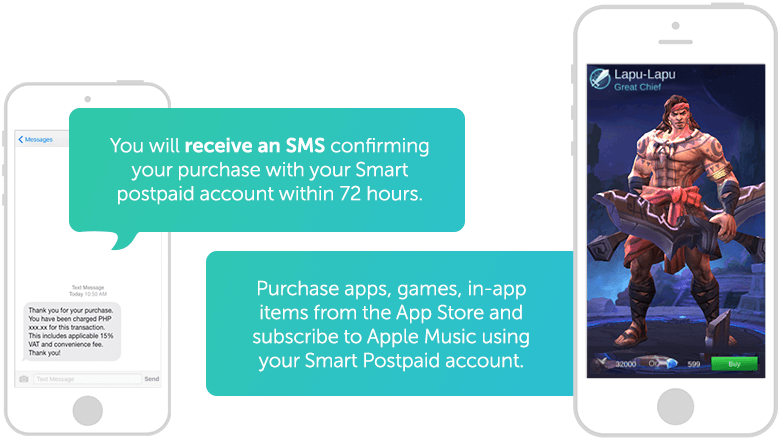
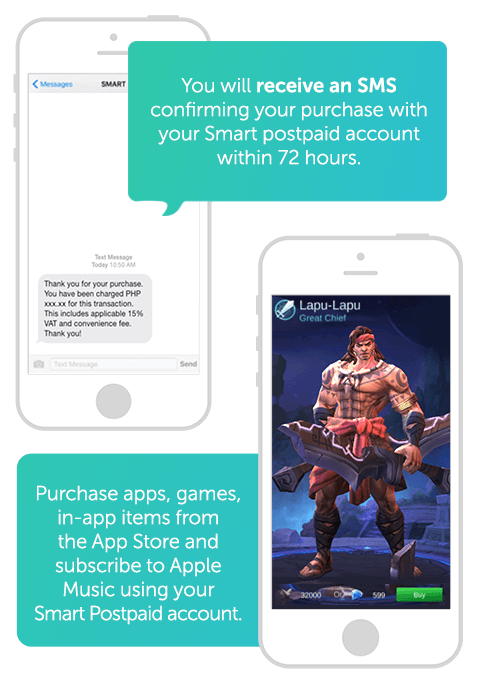
*Smart Pay-With-Mobile is only available to Postpaid Plans 300 and above, and Smart Bro iPad Plans.
Frequently Asked Questions
Can I use my card no. to purchase items from other sites?
Card number provided by Smart will only be accepted on Apple's online storefronts. This card will not be accepted as a payment method on other online purchases.
Do I need to top-up my virtual card number before I purchase from iTunes or the App Store?
No need. The amount you can purchase would depend on your postpaid account's credit limit.
How many Apple IDs can use my card no.?
You may use your card details on multiple Apple IDs and will be subject to Apple's current payment policies.
Why was I charged when I linked the account to my Apple ID?
It is a common practice of Apple to test if the payment account entered is valid by charging USD 1. For Pay With Mobile Account, this will be charged in Peso, prevailing exchange rate applies. Account validation happens every time you link a payment method, in this case your Pay With Mobile account. So make sure you're postpaid account is within the credit limit when linking! Don't worry, this will be refunded. Kindly expect refund in at least 72 hours.
If in case however, you have a pending transaction from your old account which are not successfully charged by Apple due to inactive card or insufficient balance, once the new linked card number is active, in this case Pay With Mobile, Apple will automatically charge the pending transactions on the new account. Basis of Apple is not on the card number but on the Apple ID.
Why am I charged more than what is displayed on Apple? What exchange rate was applied? Are there other charges?
Mastercard's foreign exchange rate at the time of purchase was applied and an additional 15% was charged by Smart to cover VAT and convenience fee.
Can I get a refund for Apple purchases?
Yes you may. Apple's customer support will be able to investigate and process your refund requests. Apple's refund policy will apply.
Can I deactivate my card number?
You can deactivate your account by texting "STOP" to 4949
How can I get my card details in case I lose it?
You can retrieve your card details by texting "GET" to 4949
Who can I contact for additional customer support?
For Pay with Mobile account concerns, you may contact Smart's Customer Support at *888 toll fee via your Smart SIM or (02) 888-1111 via hotline.
For queries on downloads and content, you may refer to iTunes Support at https://www.apple.com/asia/support/itunes
What happens if my card expires?
Your mobile number will not be charged and purchases will not go through for virtual card's which are expired. To renew, simply delink card and register for new card.
Can I use the card number for Apple ID accounts from the US or other countries?
The card number will not apply to US Apple accounts. For best user experience, please use an Apple ID created in the Philippines.
Why was I charged a few days after I purchased on iTunes and the App Store?
Apple charges within 48-72 hours of your purchase. They also do this in batches so a single charge may be for multiple purchases. You may check purchase details through your Apple ID account info or through Apple's email notifications.
I am a postpaid user, how come I can't link my Apple ID to the Virtual Card Number?
Kindly check your internet connection, you should be online to check your account. Also, you can't link an account if you exceed your postpaid Credit Limit and is redirected.
Why can I no longer purchase?
You might have reached the purchase limit. Please note that monthly purchase limit is P3000 or your credit limit whichever is lower.
I have a corporate account, why am I unable to purchase?
Corporate accounts are excluded from the Smart Pay-with-Mobile service. However, if you wish to purchase with your corporate account, you may ask your HR to lift restrictions by making a request to Smart.
Get Viu Premium with your Smart Prepaid phone:
- Download the Viu App from the Google Play Store or the App Store
- Create an account by clicking Login
- Load your Smart Prepaid SIM
- Subscribe to Viu Premium by texting VIU<space>BUY<space>30 to 2948
- You will receive an SMS Confirmation once you've been charged successfully.
- On the same SMS confirmation, you will receive a URL. Click this link to redeem your Viu Premium subscription
Get Spotify Premium with your Smart Prepaid phone:
- Load your Smart Prepaid SIM
- Download the Spotify App from the Google Play Store or the App Store
- Go to the Spotify app and create an account
- Go to Settings and click on "Go Premium"
- Select Smart and enter your Mobile Number to continue
- You will receive an SMS Confirmation once you've been charged successfully
How To Add Payment Method In Google Play Using Smart
Source: https://smart.com.ph/Pages/paywithmobile
Posted by: barajasyoub1995.blogspot.com
0 Response to "How To Add Payment Method In Google Play Using Smart"
Post a Comment